FOR KIDS WITH TWO HOMES, ONE HOME, OR RAISED BY FAMILY
Putting the kids
first, together.
Everything the kids need, in one calm place: whose night it is, pick-ups, school notes, medicines and moments. Shared with everyone who looks after them. Start on your own today.
Kids live with you full-time? It works for one home too. Raising the grandkids? It's for you as well.
14 days free, no card needed. Then A$7.99 a month for the whole family.
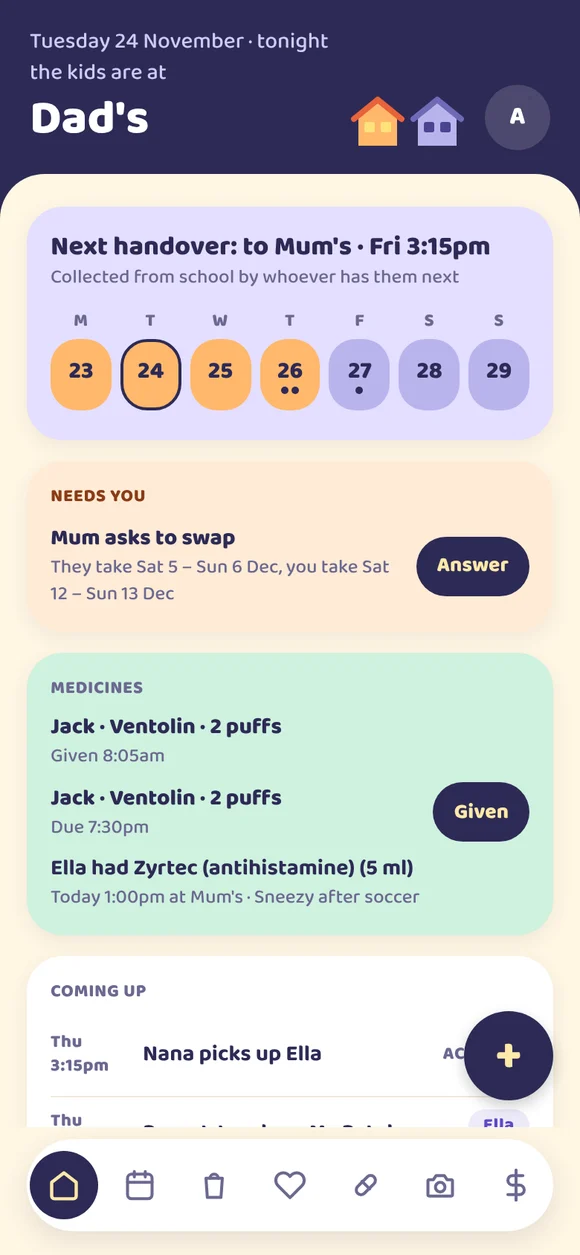
A calm, settled week for the kids
One clear plan built around what they need, so the week feels the same whichever door they walk through.
Everyone who loves them, on the same page
Parents, Nana, the sitter. Each sees what they need, so nothing falls through the gaps.
Nothing about them gets missed
The swimming cap, the excursion slip, the 8pm Ventolin. Kids feel the calm when the adults are organised.
Start on your own, share when it suits.
Run the whole plan on your own: the calendar, school notes, medicines, moments, reminders and pick-ups. Send the other parent a calendar link so they can still see whose night it is. If they join later, swaps and shared costs switch on, at the same price. Either way, the kids get one plan.
Kids live with you full-time? It works for one home too.
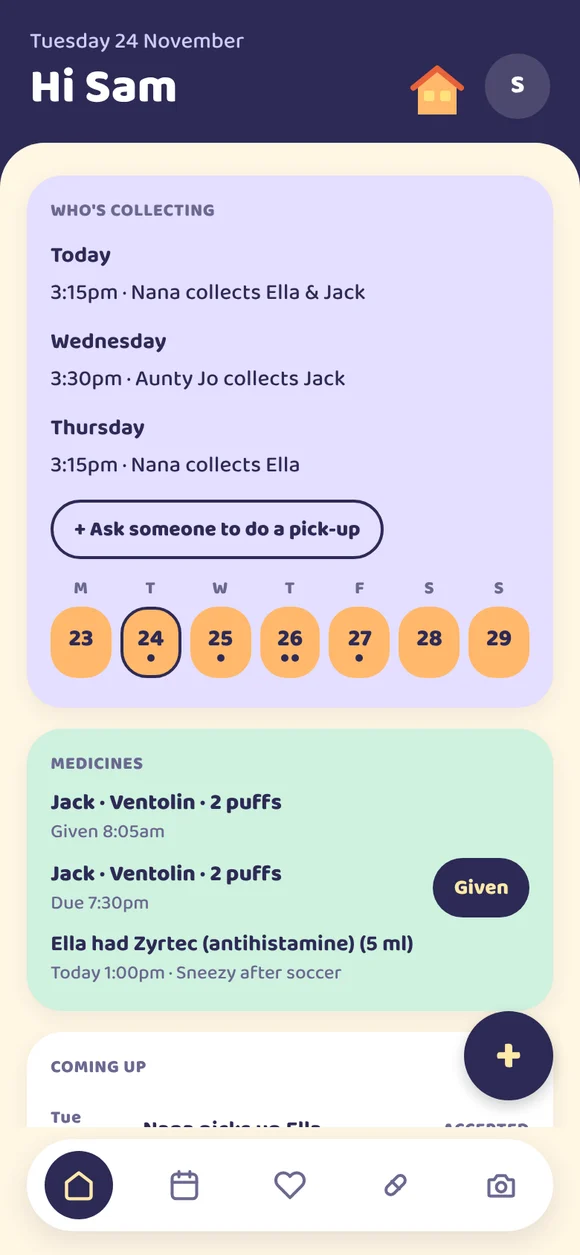
Choose "One home" when you set up. You won't get a nights schedule or swaps, because you don't need them. Instead, the app opens on who's collecting the kids this week. Book Nana, your sister or the sitter for a pick-up and it shows up on their phone. Carers are free.
School notes, medicines and moments work just the same. If things change, switch to two homes in Settings and nothing gets lost.
KINSHIP CARE
Raising the grandkids? You're already putting them first.
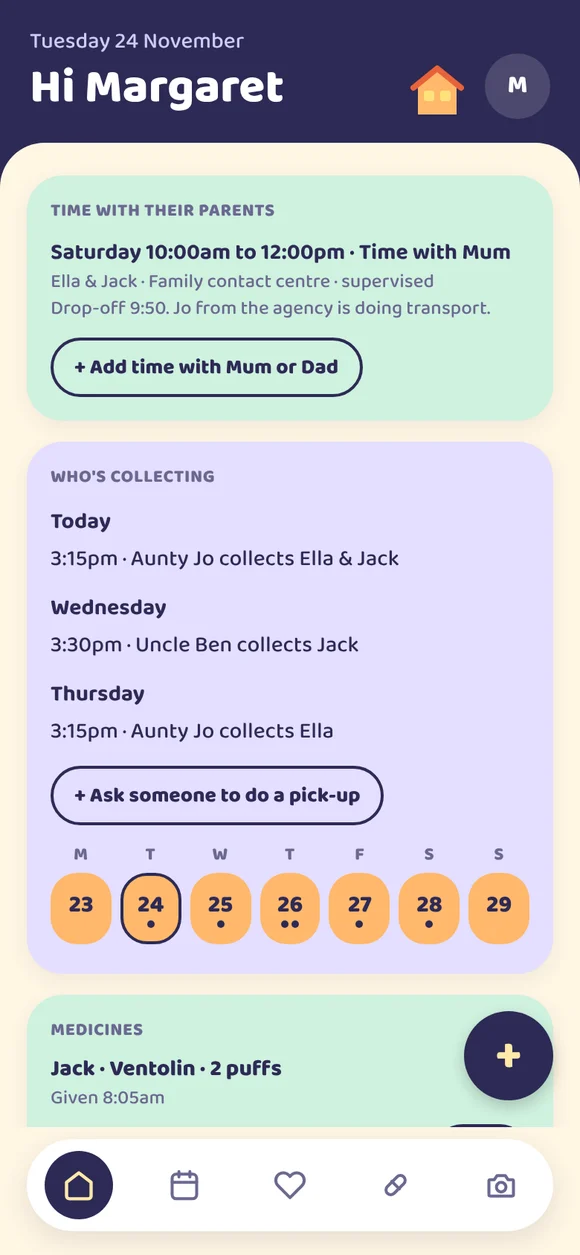
When you step in to raise the kids for family, there's a lot to keep track of, and both. helps you keep it all around them. Choose "I'm raising them for family" when you set up and it speaks your language: no "Mum's night" or "Dad's night", just your home and the people who help.
- Time with Mum or Dad. Regular visits, supervised or not, on Today and in the calendar, with drop-off notes.
- Key contacts in one place. Caseworker, GP, school and the contact centre. Tap to call.
- Share it your way. Give Grandad full access, and helpers like an aunty or sitter just their pick-ups.
- Private by default. Only people you invite see anything. both. never suggests inviting the kids' parents.
School notes, medicines and moments work just the same. For formal and informal kinship care, at the same price as every family.
Everything the kids need, off the fridge door
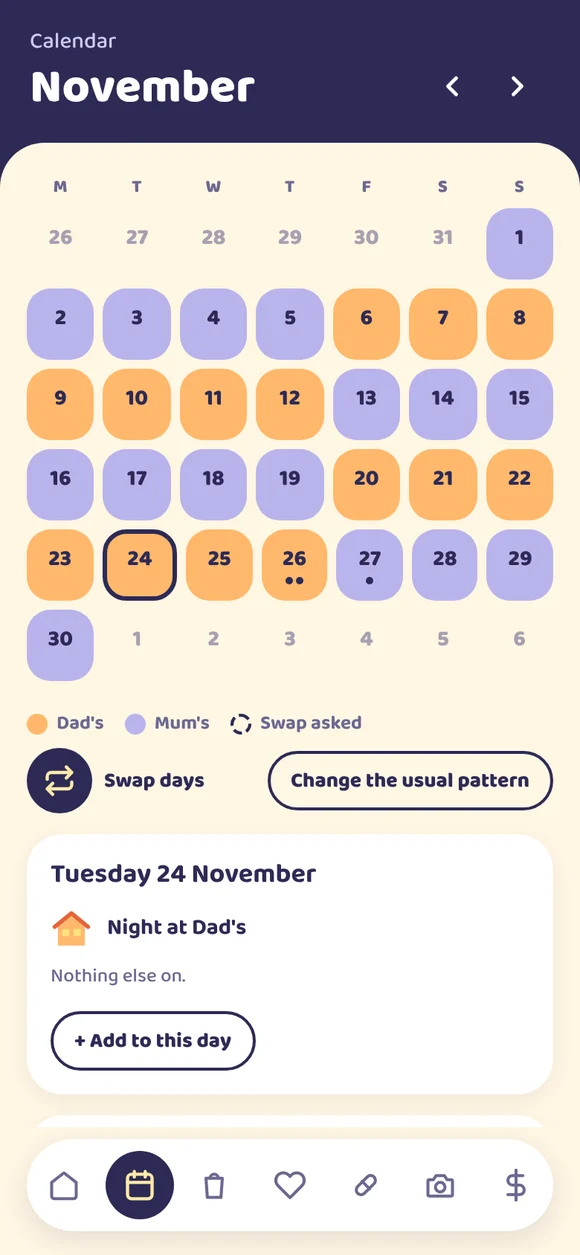
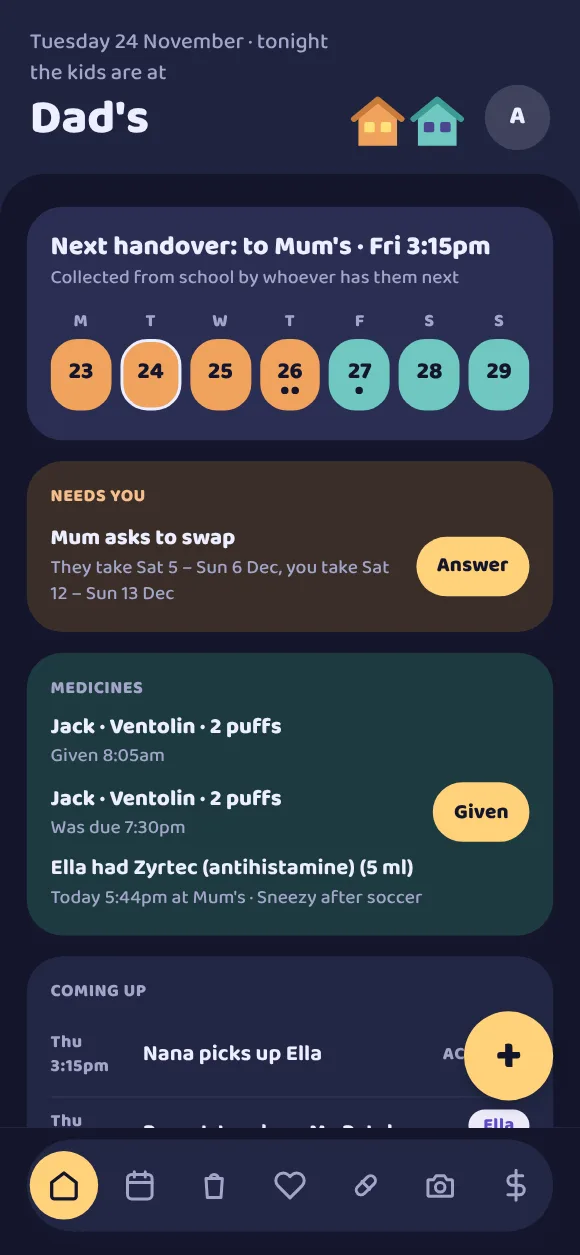
Whose night it is
Week on, week off, 2-2-5-5 or your own pattern. Holiday plans, Mother's and Father's Day, and school holidays for every state.
Your calendar and reminders
Everything shows up in the calendar on your phone, with handover reminders and daily summaries if you want them.
School notes and invitations, read for you
Forward the school email, or snap the note or party invitation. both. pulls out the dates, RSVPs and to-dos for you to check, then shares them with both homes. Tap anything later to change it.
Swaps with a clear yes or no
Ask to swap nights in two taps. The other parent answers in the app, and the calendar updates for everyone.
Grandparents and sitters, free
Book Nana for one pick-up or every Monday and Thursday, for one child or all of them. She sees her pick-ups, plus medicines or moments only if you share them. Carers never pay.
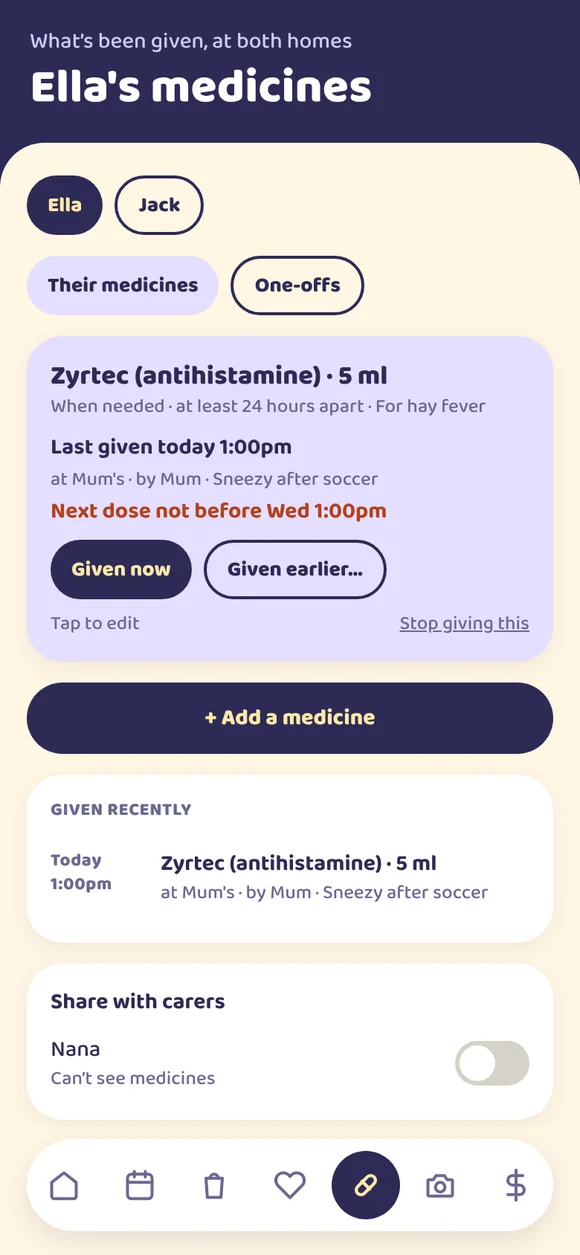
Medicines, without doubling up
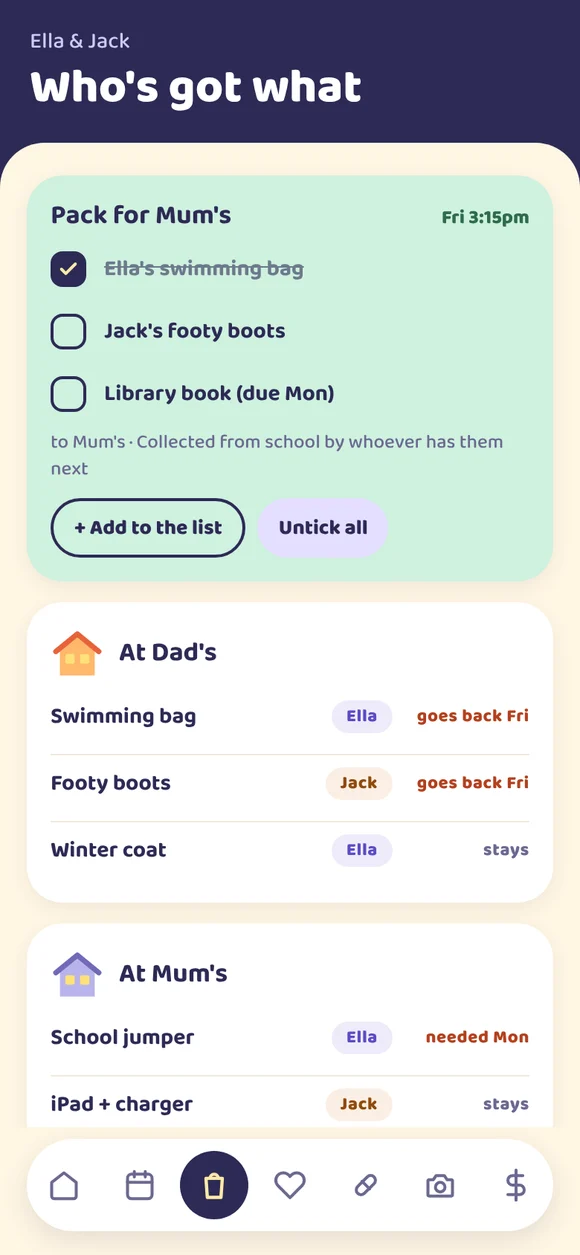
Everyday medicines, when-needed ones, and one-offs like pain relief after a fall. Log a dose at either house and the other parent knows straight away. Plus gift lists, chores and pocket money.
In your phone's calendar, with reminders that turn up on time
A calendar link that keeps itself up to date
Add both. to the calendar you already use on iPhone, Google Calendar or Outlook. Whose home each night is, handovers with the time and place, school events, pick-ups, things that are due and birthdays all appear alongside everything else. Change something in both. and your calendar follows.
It's private to you. Send the other parent their own link if they'd rather not use the app.
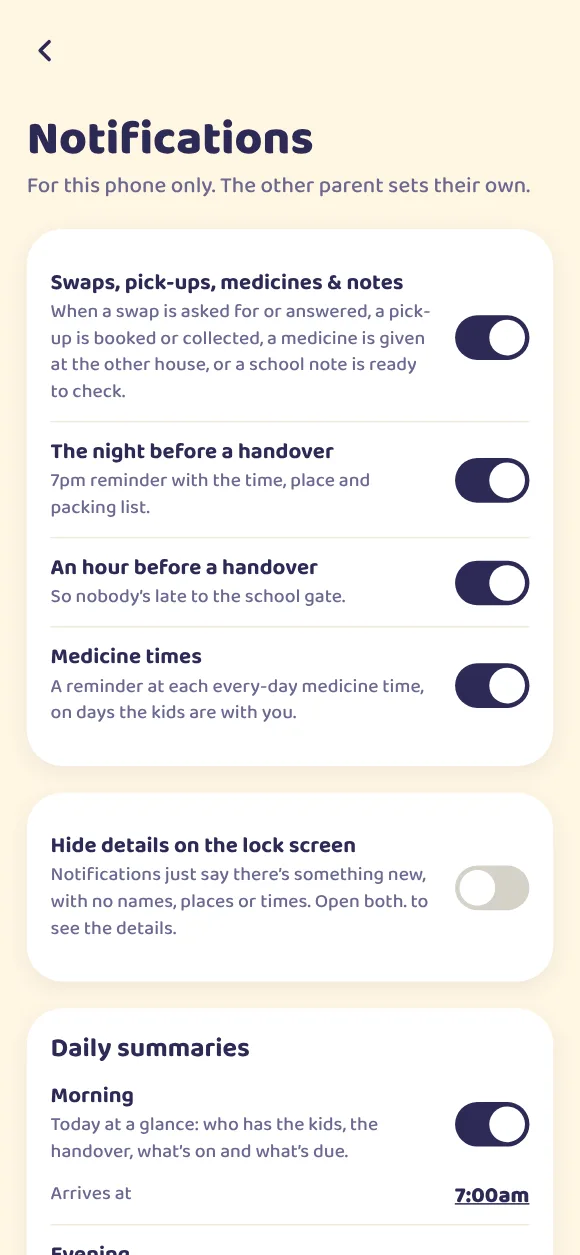
Notifications you choose
- The night before and an hour before each handover, with the place and what to pack
- When a swap is asked for or answered, a pick-up is booked or done, a medicine is given, or a school note is ready to check
- A morning, evening or weekly summary at the time that suits you
Each person sets their own, on their own phone.
Friday 27 November
Saturday 28 November
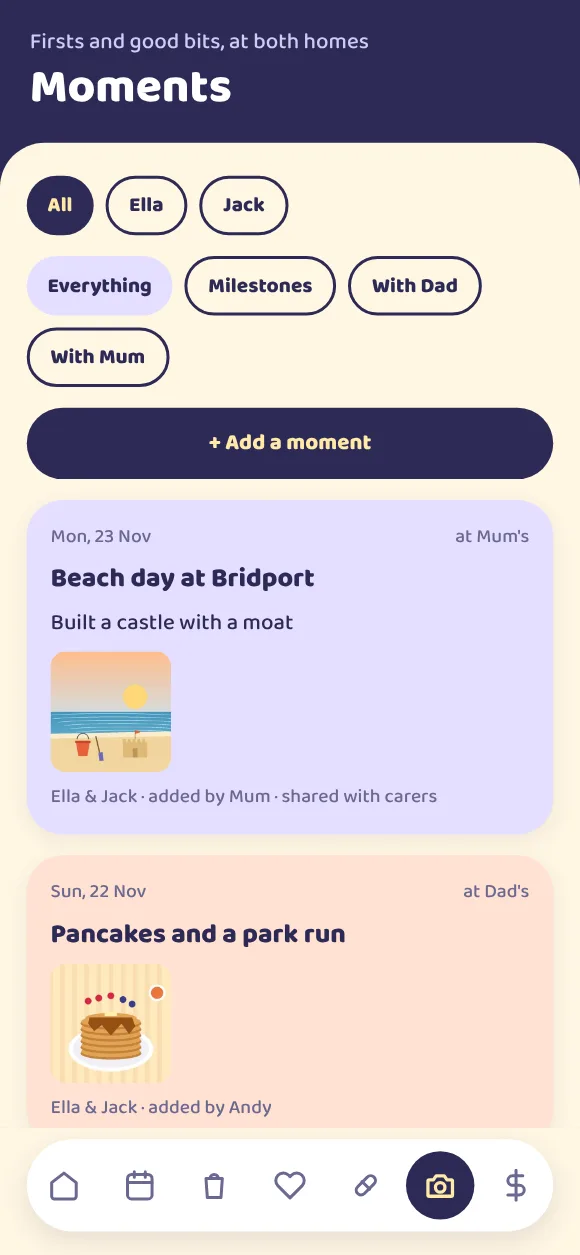
Moments with Mum. Moments with Dad.
The lost tooth at one house, the swimming badge at the other. Add firsts, milestones and everyday good bits with up to four photos each, so both parents get to see them.
- Every moment is tagged with the home it happened at, so each parent gets their own album
- Private to the parents. Share a moment with Nana if you'd like her to see it
- Whoever adds a photo can take it down, and the other parent can ask them to
- Save them to your phone any time. Moments are kept even if you stop subscribing
Have a look around
Up and running in five minutes
Add the kids, choose one home or two, and pick your pattern. Your 14 free days start.
Invite the other parent or Nana with a code, or just send a calendar link.
Forward the first school email, and stop texting about Tuesday.
One price for the family
On your own or with the other parent, it costs the same. Either of you can pay. Carers are free.
Both start with 14 days free. Prices include GST. Bought through the App Store or Google Play.
Questions
Does the other parent have to join?
No. both. works fully on your own. Swaps and shared costs switch on if they join.
What if the kids only live with me?
Choose one home when you set up. You get pick-ups for family and sitters, school notes, medicines and moments, without the nights schedule. You can switch between one home and two in Settings at any time, and nothing is deleted.
I'm raising my grandkids. Is both. for me?
Yes. Choose "I'm raising them for family" when you set up. You get pick-ups for your helpers, school notes, medicines and moments, plus time with the kids' parents on the calendar and your key contacts in one place. It works for formal and informal kinship care, and the kids' parents are never invited or shown anything.
Can my partner use it too?
Yes. With two homes, invite the other parent. With one home or kinship care, invite them as someone raising the kids with you and they get full access. Helpers, like an aunty or a babysitter, only see the pick-ups you give them, and they're always free.
Is it a legal record?
No. It's a planning tool. Your parenting plan or court orders always come first.
What can a grandparent see?
Whose home it is each night and the pick-ups you give them. Medicines and moments only if a parent shares them. Never notes, costs or lists.
Are our photos private?
Yes. Moments are only for your family's parents unless you share one with a carer, and photos are never public or used for anything else. Only add photos of your own kids.
What if a school note is read wrong?
You check everything before it's added. If something's still not right, tap it in the calendar to change the name, day, time or place.
What happens if we stop paying?
The schedule and your moments stay, read-only. We email you well before anything else is deleted, and you can save photos to your phone any time.
Where is our information kept?
In Australia, on servers in Sydney. Only your family can see it, and it's never sold or used for ads. The privacy policy has the details.
Got another question?
Email hello@bothapp.au and a real person will get back to you.